 Kiln
Kiln DocumentationUsing Kiln
AI terminal: sessions, shells and recovery
Shell integration, activity reporting, command history, completion, connection recovery and background sessions in Kiln's terminal.
Every Kiln task runs in a real terminal session owned by a local daemon. Shell integration adds command tracking, activity reporting and completion on top, and sessions keep running when you close the window.
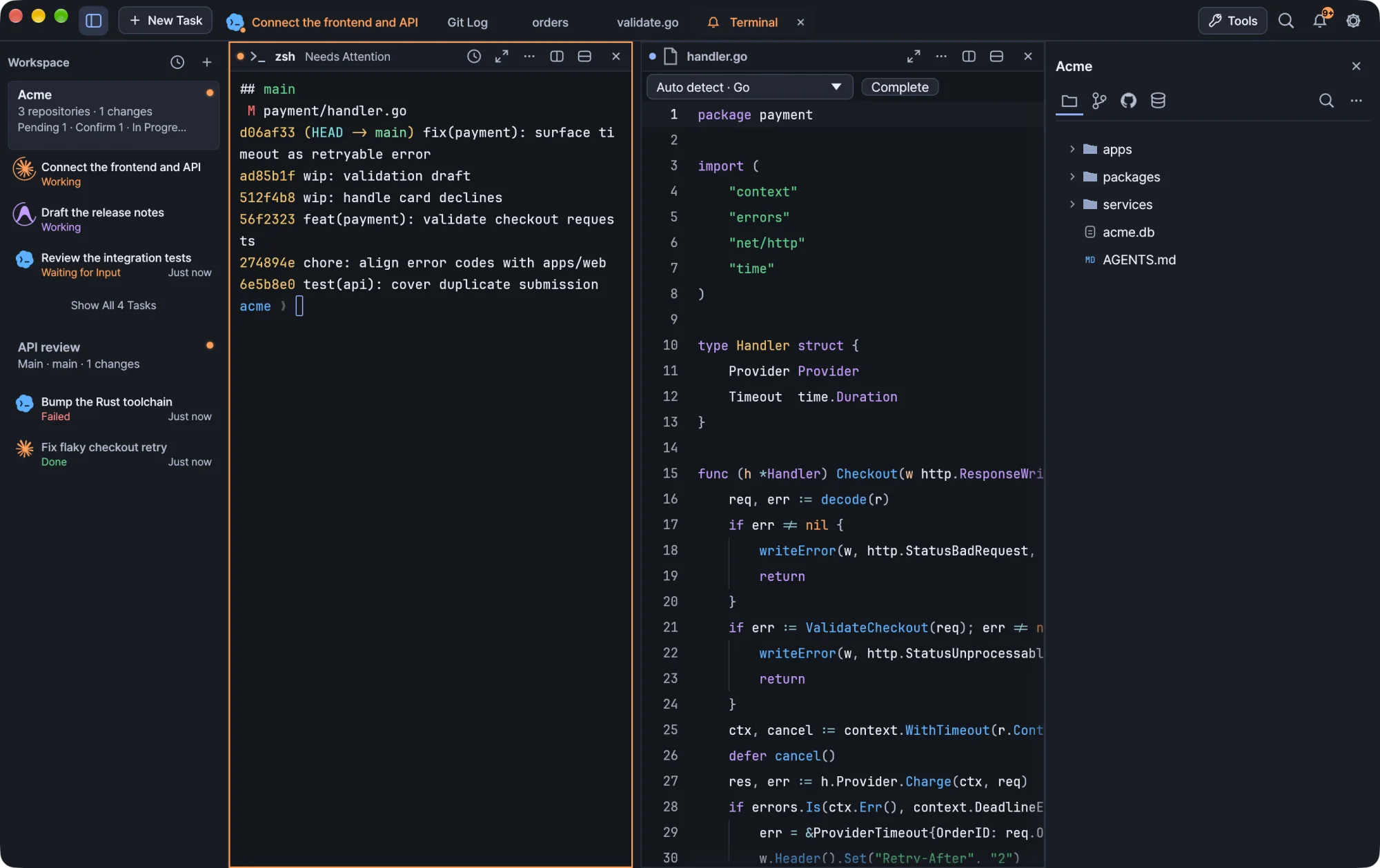
Shell integration
New default zsh sessions get shell integration automatically. It tracks command boundaries and the working directory, and it does not modify your .zshrc.
Automatic integration does not apply to custom launches with arguments, or to bash and fish. Shells that were already open may need a new session before new integration behavior applies. To turn integration off, set KILN_SHELL_INTEGRATION=0.
Attach an existing zsh session
- In Settings, choose
/bin/zshas the default shell and open a new Kiln terminal. This sets up the integration files. - In the existing zsh, wait for any foreground task to finish, then run this at an idle prompt:
source ~/.local/share/kiln/shell-integration-v1/integration.zsh
Starting zsh inside an existing terminal does not run Kiln's new-session setup on its own.
Activity and notifications
Kiln reads terminal notifications (OSC escape sequences) and explicit activity reports. Both are local terminal escape sequences and do not send your prompt to another service.
Report activity from a script or agent hook with kiln activity:
kiln activity running
kiln activity waiting
kiln activity done
kiln activity failed
Send a notification with kiln notify. Run kiln activity --help and kiln notify --help for the syntax of your installed version. Shell integration also provides a kiln-agent-status running|waiting|done|failed|unknown function. Hook output has to reach the Kiln terminal for Kiln to receive the activity.
Kiln also recognizes the activity markers that Claude Code and Codex put in their terminal titles, so running activity appears without any hooks. Explicit waiting and failure reports take priority. Plain shells and agents that report nothing appear as open sessions instead of being marked complete. See Agents for the indicators and colors.
The notification center keeps recent notifications and links each one to its session. Reading a notification clears that session's attention state.
Command history
The daemon keeps your most recent commands in memory so you can review them and their output.
| Limit | Value |
|---|---|
| Commands kept | The most recent 40 |
| Output kept per command | The first 128 KiB |
| Survives a daemon restart or upgrade | No |
History is a reconstructed text view of each command's output. It is not a raw terminal log and does not record every intermediate screen of a full-screen TUI. Without command-boundary integration, only the currently visible output is available.
If you edit a command from history, it runs only when you choose its explicit run action, and it runs in a new terminal.
Shell completion
In a newly opened, integrated zsh terminal, Kiln suggests cd paths and common Git, Docker, npm and Cargo subcommands as you type.
| Key | Action |
|---|---|
Ctrl+Space |
Open suggestions, or look up installed command names |
| Arrow keys | Select a suggestion |
Tab or Enter |
Insert the selected suggestion |
Esc |
Close the menu |
Inserting a suggestion never runs the command. When the menu is closed, zsh's own Tab completion works as usual.
To hide automatic suggestions, turn off command suggestions in Terminal settings. Ctrl+Space keeps working. Set KILN_COMPLETION_PREVIEW=0 in your shell to also stop the shell from producing preview data.
Completion does not read your shell history files, run commands to generate help, or send anything to a cloud service.
Completion supports zsh only. Bash, fish, SSH sessions, agent chats, full-screen applications and other shells keep their normal input behavior. Help for the integration is in the terminal's context menu.
Connection recovery
Kiln keeps the terminal connection separate from the shell or agent running inside it. If a panel loses its connection or stops responding, Kiln repairs the connection, redraws the screen and asks the CLI to redraw. It does not restart the agent, send a prompt or run /resume for you.
| Panel shows | Meaning |
|---|---|
| Reconnecting | Kiln is repairing the connection, up to three attempts. |
| Connection stalled | The attempts failed. Choose Reconnect to try again. |
Reconnect is also in the … menu of every running terminal panel, even when the connection looks healthy, and it resets that panel's retry budget. A quiet agent that is thinking or waiting for input is not treated as stalled.
During recovery, the session and its process keep running and the existing text stays on screen. Input is paused, so your typing never queues up behind a broken connection.
Note A CLI can hang internally while its connection stays healthy. Reconnect cannot fix that. Open another panel and use the CLI's own resume flow.
Sessions that outlive the window
Your terminals belong to the session daemon, not to the window. Close Kiln and its shells and agents keep running; reopen it to return to them. Updates keep running terminals too. A system reboot or explicitly stopping the daemon can end sessions.
- macOS: the menu-bar icon opens a menu with Settings… and Stop Background Sessions…. Ending background sessions lists the live sessions and asks for confirmation, with Cancel as the default. It includes sessions in open workspaces, so unsaved shell or agent work can be lost.
- Windows: the notification-area icon shows a session summary and a red dot when something needs attention or a notification is unread. Its menu has Open Kiln, Settings and Stop Background Sessions….
Warning
kiln statusshows the session daemon's state. Do not useshutdown-daemonto refresh the window: it ends your sessions.
Local network access on macOS
macOS 15 and later require permission for local-network connections. This can affect terminal commands such as kubectl get nodes, SSH, database connections and remote files when their servers are on a local network.
- Open Kiln → Settings → Behavior.
- Under Privacy → Local Network, choose Request Access.
- If macOS shows a prompt, allow Kiln, then retry the command.
The gear button opens System Settings → Privacy & Security, where you can check Kiln under Local Network. Kiln cannot read or change the system's decision, and macOS may not show a new prompt if you already decided.
Tip Panels opened before an update keep their old process setup. If a local-network command fails there, open a new terminal panel and retry it.
Windows shells
Terminals start in PowerShell 7 when it is installed, otherwise in Windows PowerShell. Choose cmd.exe, Git Bash or a WSL distribution in Settings → Terminal.
- PowerShell and cmd report commands, exit codes and the current location to Kiln. A custom prompt still sees the last command's status.
- PowerShell keeps PSReadLine's completion (
Tab,Ctrl+Space). Kiln's completion menu is zsh-only. - Closing a terminal ends its console programs. Window applications it started, such as a browser, keep running.
- The pane is named after the newest console program running in the shell. Programs started from Git Bash are not followed.
- Korean IME input works in terminals and the editor.